Setup an OIDC Client app
Most verifiers or relying parties will want to request information from a user's verifiable credential during a particular workflow, perhaps as an onboarding step or a confirmation before proceeding to do something with the information.
Exactly how and when to achieve this depends on your existing systems or external processes you need to integrate with. For the purpose of this tutorial we will demonstrate a basic user journey, so we're going to use a simple standards-based OpenID Connect Client application that you can configure and run locally.
Prerequisites
You need the following in order to proceed with this tutorial:
-
Access to the MATTR Platform APIs. If you're experiencing difficulty, contact us.
-
Have an OIDC Credential Verifier configured on your tenant and know how to set up a Client on the Verifier.
-
Download the MATTR Wallet app and have it set up with a PIN.
-
Have a verifiable credential in the mobile wallet app that matches the
typeand the Issuer's identifier (DID) as per the presentation request template. -
Your development environment must be setup with:
-
Node.js
-
NPM or Yarn
-
Set up a Client to use PKCE
Because we will be running the OIDC Client as a native-like app (also known as a Single-Page-App) you will need to setup the Client on the Verifier in a certain way:
PKCE is not a requirement for using the OIDC Credential Verifier, if you were to run a more traditional server based authorization flow then the client app can be configured in a similar way to how you Configure an OIDC Client.
{
  "name": "Verify React OIDC Sample App",
  "redirectUris": [
    "https://localhost:3000/signin-callback.html"
  ],
  "responseTypes": [
    "code"
  ],
  "grantTypes": [
    "authorization_code"
  ],
  "tokenEndpointAuthMethod": "none",
  "idTokenSignedResponseAlg": "ES256",
  "applicationType": "native",
  "logoUri": "https://learn.mattr.global/MATTR-logo_light-full.svg"
}
Technically you will not be requiring a secret on the Token endpoint and the application type can be considered as native. This will setup your client to accept a Proof Key Code Exchange or 'PKCE' often referred to as 'Pixie'.
There are lots of good guides about why PKCE is the preferred method of using OIDC with clients and how the 'implicit' flow is strongly not recommended when transferring sensitive data, such as often found in Credentials.
Get the sample app
-
Go to the MATTR Github sample apps repo.
-
Clone the repo:
git clone https://github.com/mattrglobal/sample-apps
- Change to the dir and install dependencies:
cd react-oidc-client

yarn install
- Rename the
.env-templatefile to.envand add your variable
REACT_APP_STSAUTHORITY=https://<your-tenant>.vii.mattr.global/ext/oidc/v1/verifiers/<verifier-id>

REACT_APP_CLIENTID=<client-id>

REACT_APP_CLIENTROOT=https://localhost:3000/

REACT_APP_CLIENTSCOPE=openid_credential_presentation
Note the mandatory openid scope is always automatically added to the Authorization Request in the first position as per OpenID Connect Core spec.
Try it out If you have everything configured correctly, then go ahead and start the demo app in a development server on your local machine.
- Start the app:
yarn start
The app should open a browser window, if not navigate to https://localhost:3000 and you should see the MATTR OIDC Client Demo App home screen:
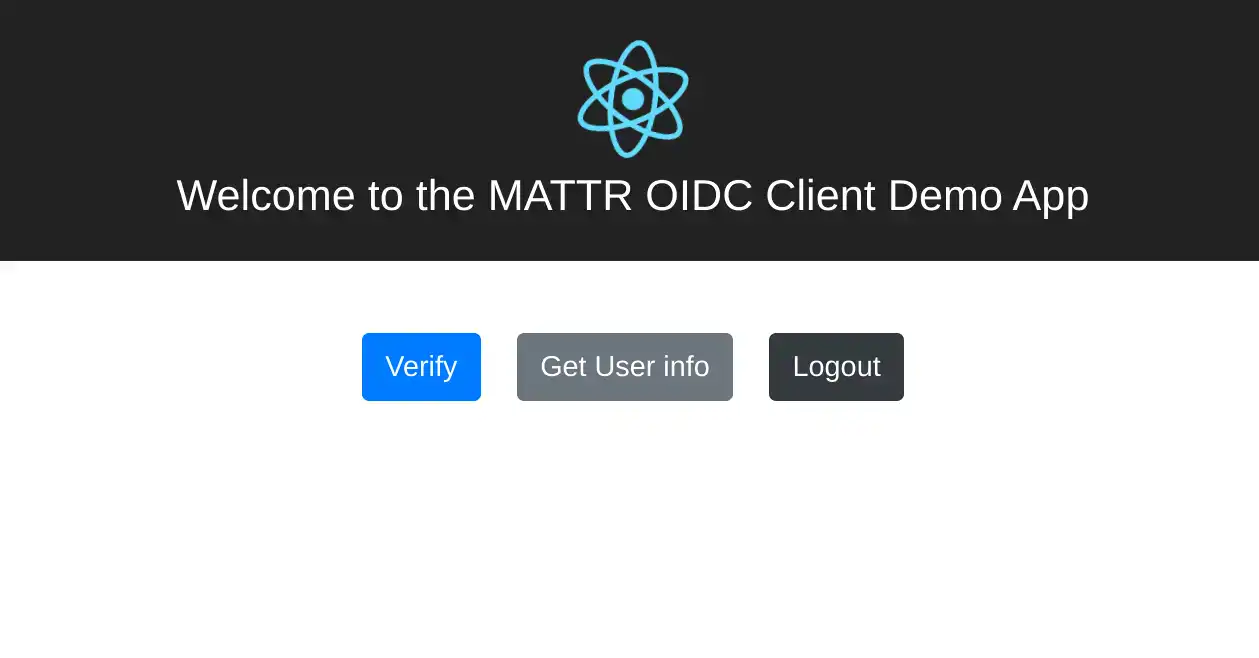
- Click on the 'Verify' button to start the Verify Credential via OIDC flow!
Its a good idea to have your browser dev-tools open at this point, switch on 'preserve log' so you can follow the redirect requests across sites.
If the redirect fails with 'oops! something went wrong' screen -- check that the redirect Uri configured in the Client matches the value configured in your .env file, and that the React app started on the port specified e.g. https://localhost:3000.
The app will construct the OAuth2/OIDC Authorization Request and navigate you to the OIDC Credential Verifier instance configured in the REACT_APP_STSAUTHORITY variable, it will contain the REACT_APP_CLIENTID as a query parameter, along with the required OAuth2 parameters state, login and scope (containing both openid and the opendID_credential_presentation values) as well as the PKCE code_challenge and code_challenge_method parameters, which trigger the PKCE flow.
https://api.sovrin.one/ext/oidc/v1/verifiers/dd6e3caa-7b41-4b95-afca-4dc1c41295f7/authorizehttps://tenant.vii.mattr.global/ext/oidc/v1/verifiers/dd6e3caa-7b41-4b95-afca-4dc1c41295f7/authorize

?client_id=7fa513fa-0c5b-448b-b61e-0e33e4823012

&redirect_uri=http%3A%2F%2Flocalhost%3A3000%2Fsignin-callback.html

&response_type=code

&scope=openid%20openid_credential_presentation

&state=66a8fe1fdca84d978edc9f1ec99c78d6

&prompt=login

&code_challenge=9U3GmYdjm8z3tZKS8VIxmhhRqPYA8b3JzKRiFMOglX0

&code_challenge_method=S256